
Vandaag of morgen in huis

Kwaliteit gegarandeerd

Welkomstaanbiedingen ontgrendelen: GRATIS bezorging | Tot 80% korting | Gratis 30 dagen JoyPlus-proefperiode
Download de app
Are you looking for a reliable dot matrix printer for your business? If so, you know this isn't an everyday purchase. In a market dominated by laser and inkjet printers, the dot matrix printer remains an indispensable workhorse for specific tasks, such as printing invoices, shipping manifests, or documents on multi-part carbon copy paper. But the search can be frustrating. Many models seem outdated, and their specifications are often unclear.
It's easy to fall into a common pitfall. A frequent mistake is focusing solely on a low purchase price, thereby overlooking the Total Cost of Ownership (TCO). A cheap printer with expensive, short-lived ribbons and high energy consumption quickly becomes a financial drain. Another error is ignoring reliability, expressed as MTBF (Mean Time Between Failures). A printer that constantly breaks down will cost your business more in lost productivity than the initial savings could ever justify.
Before choosing a business printer, it's essential to look beyond the marketing jargon and focus on the specifications that truly matter for your operations.
The speed of a dot matrix printer is measured in CPS (Characters Per Second). This is a crucial factor if you process large volumes of documents. A fast printer with a high CPS rating can be the difference between an efficient and a stagnant workflow. Pay attention to the different speed modes, such as 'Draft' (for fast concepts) and 'Near Letter Quality' (NLQ) for cleaner prints. For printing large batches of invoices or reports, a high 'Draft' speed above 500 CPS is a good benchmark.
For a business printer, reliability isn't a luxury; it's a necessity. The MTBF (Mean Time Between Failures), expressed in operating hours, indicates the device's robustness. An MTBF of 20,000 hours or more suggests a model built for intensive use. Also, consider the lifespan of the print head, often expressed in millions of characters. A durable print head ensures lower maintenance costs in the long run.
Not every dot matrix printer can handle every type of paper. Check if the model is suitable for continuous paper and if it can process multi-part forms (carbon copy paper). The '1 + x copies' specification indicates how many duplicates the printer can handle. For wide documents like logistics summaries or financial reports, a 136-column printer is necessary. A standard 80-column model is too narrow for these types of tasks.
Based on these objective criteria, we have selected a few models that suit different business profiles.
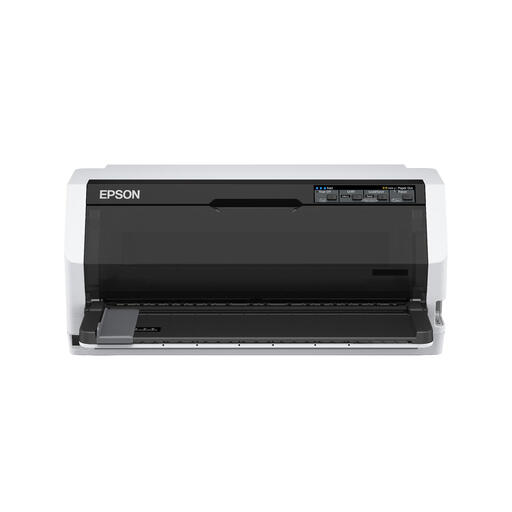
Why This Fits Their Persona: This model is a solid all-rounder for offices that need a reliable dot matrix printer for daily tasks like invoicing and label printing, without paying a premium.
This model offers a good balance between purchase price and performance, ensuring you don't sacrifice reliability for a lower initial investment.
The print speed of 487 cps is more than sufficient for most SMB applications. Its compact footprint makes it easy to place on a desk.
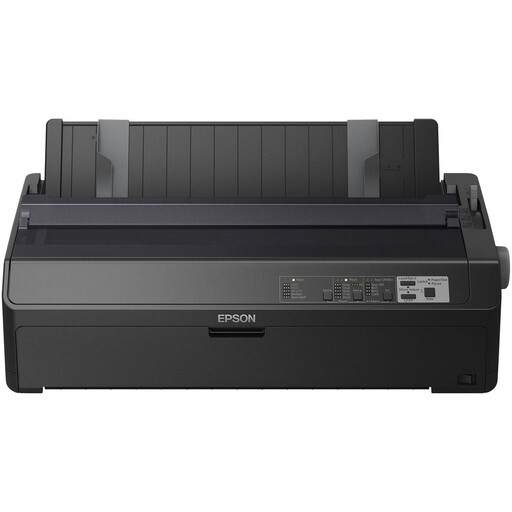
Why This Fits Their Persona: Ideal for environments where speed and reliability are essential, such as in a warehouse for printing shipping manifests or in a finance department for large batches of invoices.
With an MTBF of 25,000 hours, as claimed by Epson, this model is built to minimize downtime. The focus is on durability, not a low entry price.
This is a 136-column printer with a very high print speed of up to 738 cps. It effortlessly handles wide documents and large print jobs.
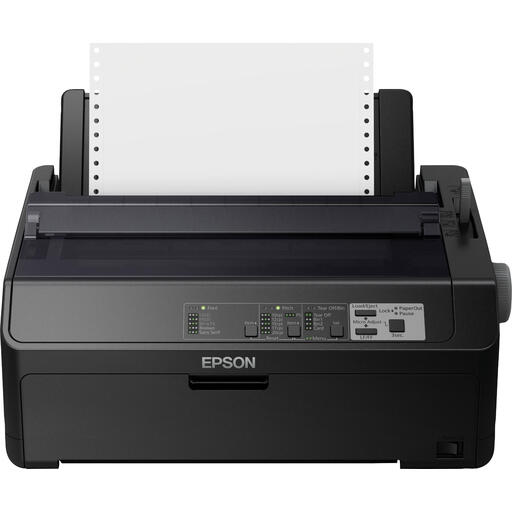
Why This Fits Their Persona: Perfect for IT departments that need to integrate a robust dot matrix printer into the company network, allowing multiple users to access it.
This model avoids the pitfall of limited connectivity. Instead of a printer that can only be connected to a single PC via USB, this is a full-fledged network printer.
The built-in Ethernet and serial connections allow for integration into virtually any IT environment. Its high speed (612 cps) and reliability (25,000-hour MTBF) make it a workhorse for the entire department.
We have compiled a complete, up-to-date list of products that fully meet these strict selection criteria and comply with industry standards.
An 80-column printer is suitable for standard A4 or letter-sized paper in portrait orientation. A 136-column printer is wider and designed for A3 paper or wide continuous paper, which is often used for financial statements, logbooks, and wide-format reports. Check the maximum paper width of your documents before making a choice.
A ribbon's lifespan is expressed in the number of characters it can print, typically several million. The exact life depends on the model and print density. The cost-per-page of a dot matrix printer is generally very low compared to inkjet or laser cartridges, which contributes to a low TCO (Total Cost of Ownership).
Yes, most modern dot matrix printers, such as the models from Epson, are equipped with standard USB and parallel ports. Many business models, like the Epson FX-890IIN, also have a built-in Ethernet port for a direct network connection, making them compatible with virtually all modern Windows and other operating systems.
